Everything you need to track your time — nothing you don’t
SelfM keeps time tracking simple: a quick question on your lock screen, a tap to answer, and statistics that show the big picture.
Tracking that fits into real life
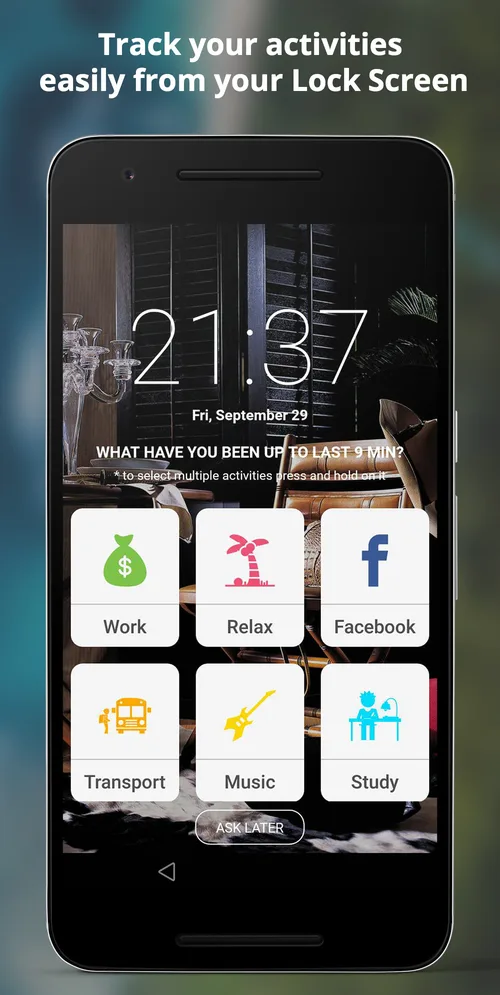
Most time trackers fail because you forget to press start. SelfM turns tracking around: it asks you, at a moment you are already looking at your phone.
- Lock screen promptWhen you unlock your phone, SelfM shows your activity tiles and how many minutes have passed since your last entry.
- Several things at oncePress and hold to select more than one activity — for example Transport and Music.
- Ask laterBusy right now? Tap “Ask later” and SelfM will remind you on the next unlock.
- Simple timerPrefer a classic stopwatch? Start and stop a timer for any activity with one tap.
- Pauses during callsTracking pauses automatically while you are on a phone call.
Statistics that are easy to read
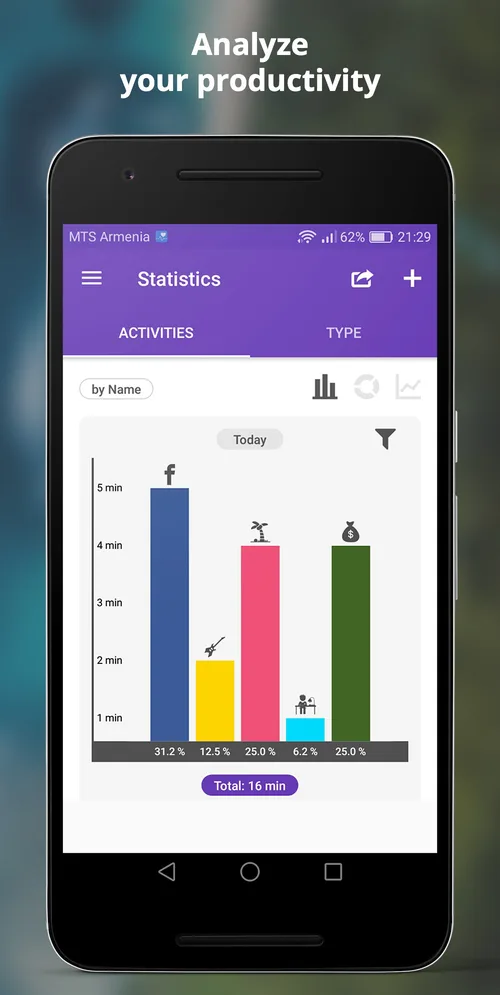
Turn minutes into a clear picture of your day, week and month — and spot the habits worth changing.
- Bar, pie and line chartsSwitch between chart types with one tap and filter by date range.
- By activity or by typeSee individual activities or group them by type, such as work, rest or study.
- Day, week, monthZoom out from today to the big picture of your month.
- CSV export and importMove your data to a spreadsheet, or back it up and import it on a new phone.
Make it yours
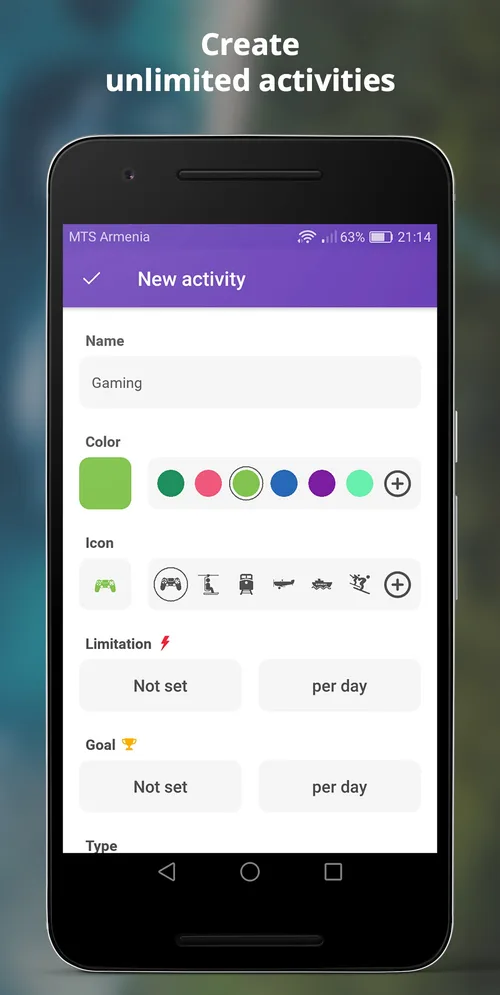
Build a set of activities that matches your life, and arrange the grid so the most important ones are one tap away.
- Unlimited activitiesAdd as many activities as you like, each with a name, colour and icon.
- Daily goals and limitsSet a minimum for good habits and a maximum for distractions.
- Custom gridChoose the number of columns and the icon size, show or hide labels, and turn on colour mode.
- Sleep, study, work, restUse SelfM as a sleep tracker, study timer, work hours log or time diary — it is up to you.
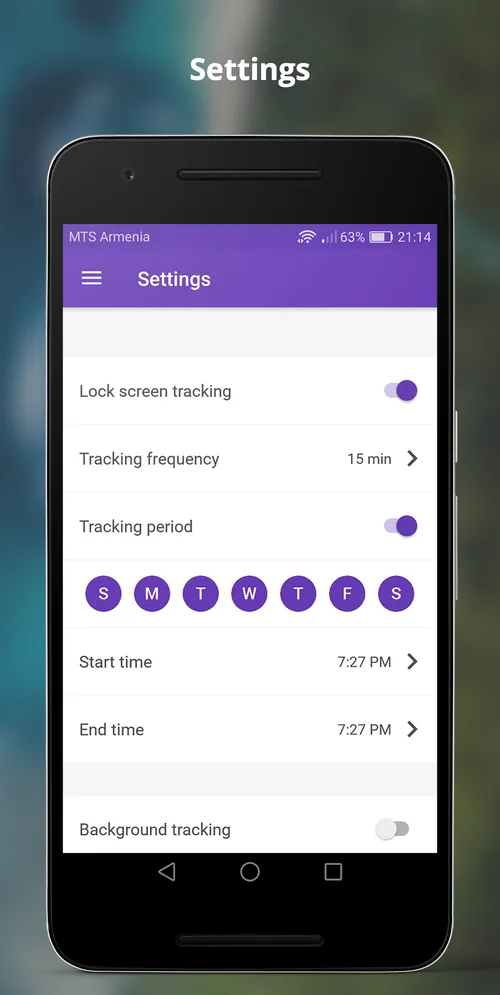
You decide when it asks
SelfM only asks during the hours you choose, so evenings and weekends can stay quiet.
- Tracking frequencyChoose how often SelfM asks, for example every 15 minutes.
- Tracking periodPick the days of the week and start and end times for tracking.
- Reminders and streaksGentle reminders and streaks help you keep the habit of logging your day.
- Background trackingOptionally keep tracking running in the background.
12 languages
English, Russian, German, French, Spanish, Italian, Portuguese, Polish, Dutch, Swedish, Turkish, Hindi.
Offline, no account
Install and start tracking. SelfM does not need a sign-up or an internet connection to log your time.
Private by design
Your activity log is stored on your phone. Export it when you want — it is your data. Read the privacy policy.
Try SelfM free on Android
Free on Google Play. No account and no internet needed — tap what you did and watch the picture of your day appear.