Why lock screen time tracking works when timers don’t
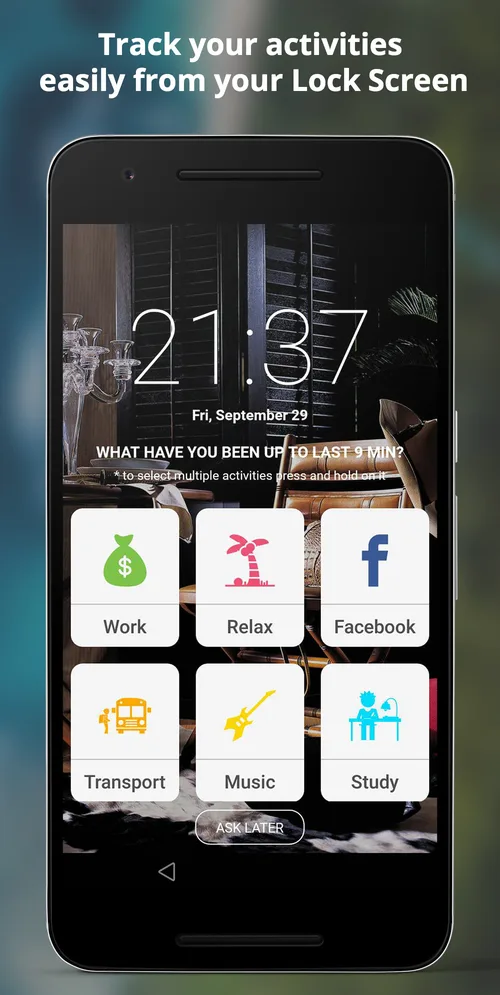
Most people give up on time tracking within a week because they forget to press start. Asking at the moment you unlock your phone fixes that.
Read articleA time diary is the simplest productivity tool there is. Seven days of honest data will tell you more than any planning method.
· 5 min read · SelfM team
Before changing how you spend your time, it helps to know how you spend it now. A time diary — a plain record of what you did, and for how long — is the most reliable way to find out. Our guesses are usually wrong: we overestimate time spent working and underestimate time spent on our phones.
Start with six to ten activities that cover a normal day. For example: Work, Study, Commute, Sport, Family, Meals, Social media, Rest and Sleep. You can add more later; too many at the start makes logging slower.
A diary written in the evening is a diary of what you remember, not what happened. That is why SelfM asks on your lock screen during the day. Answer each prompt honestly — the aim is information, not a perfect score.
For the first week, resist the urge to “be good” because you are tracking. You want an honest baseline. Changes come after.
After seven days, open the weekly view in Statistics and ask three questions:
Pick a single activity to grow and a single one to shrink. In SelfM, add a daily goal to the first and a daily limit to the second. Keep tracking and compare the next week with the first.
Small, visible changes add up. Thirty extra minutes of study a day is more than 180 hours a year. Read our guide for students.
Most people give up on time tracking within a week because they forget to press start. Asking at the moment you unlock your phone fixes that.
Read articleBillable hours you forget to log are hours you are not paid for. A practical setup for tracking client work with SelfM and turning it into an invoice.
Read articleFree on Google Play. No account and no internet needed — tap what you did and watch the picture of your day appear.